

Hey there,
Today I want to talk about something I recently built inside Claude. It’s a small thing. In fact, just one markdown file. But it changed how Claude works with me on pretty much everything.
If you use Claude (or any AI tool, really) for content work, this might be the most practical thing I’ve shared in a while. I’m going to walk through exactly what I built, why I built it, and how I did it step by step.
I’m also attaching a video walkthrough for those of you who prefer to see the process in action. But the full story is right here.
The thing that kept bugging me
I use Claude for a lot of things. Blog outlines, social media copy, newsletter drafts, email sequences, website copy, content research, brainstorming. It’s my primary AI tool for both my personal brand work and my full-time role at AddSearch.
And for the most part, it’s been great. But there was one pattern that kept frustrating me.
Every time I asked Claude to write something in my voice, the output would feel... off.
The tone would be too polished. Too corporate. It would use words I’d never use. It would add details about my work that were close but not quite right. And the part that really got me? It would confidently present opinions I never had. Not in a malicious way. Claude was just filling in the gaps based on context. And those guesses would sound so reasonable that I’d almost miss them.
So I’d push back. Fix the tone. Remove the jargon. Correct the made-up details. Go back and forth 5-8 times before I had something I could actually use.
Every. Single. Time.
I tried writing better prompts. I’d explain my tone, list my preferences, say “no AI jargon, keep it casual, short sentences.” It would work for that one conversation.
Next chat? Back to square one.
At one point, I asked Claude to write a quick two-line LinkedIn post based on my past opinions. When I looked at the draft, I literally had to ask: “Are those exactly my words, or did you give me these words?”
Turns out Claude had been pulling from its own previous drafts and presenting them as things I’d said.
That was the moment I realized: the problem isn’t Claude. The problem is that there’s no system telling Claude what’s mine and what’s its.
The fix: a Claude skill
If you’ve been following my posts for a bit, you know I’ve talked about building AI systems before. Brand voice documents, product knowledge bases, user language guides, custom instructions. My takeaway from all that work was simple: the tool changes, the system stays.
A skill is the next evolution of that idea.
In simple terms, a skill is a markdown file (called SKILL.md) that we upload to Claude. It contains a set of instructions that Claude follows automatically every time it works on a relevant task. No code. No plugins. No technical setup. Just a simple markdown file with clear rules.
Now, the obvious question: how is this different from just writing a better prompt?
A prompt lives in one conversation. When we start a new chat, it’s gone. We have to re-explain everything. And honestly, we never write it the same way twice, so Claude’s output quality keeps varying.
A skill stays. It activates automatically. We write the instructions once, and Claude follows them every single time.
Think of it like this. A prompt is telling a new colleague what you need every morning. A skill is writing an onboarding doc that they read once and follow forever.
How I actually built a Claude skill
Here’s where I want to go deep, because I think the process matters more than the output. And honestly, it was simpler than I expected.
Step 1: I asked Claude to audit my own conversations.
I have a Claude Project where all my personal brand work lives. LinkedIn posts, newsletters, website copy, and brainstorming sessions. Over time, I’d built up 17+ conversations in there, plus attached files like my brand strategy document.
I told Claude: go through every single conversation in this Project, every file, and help me figure out where I’m spending the most time going back and forth. Where are the friction patterns?
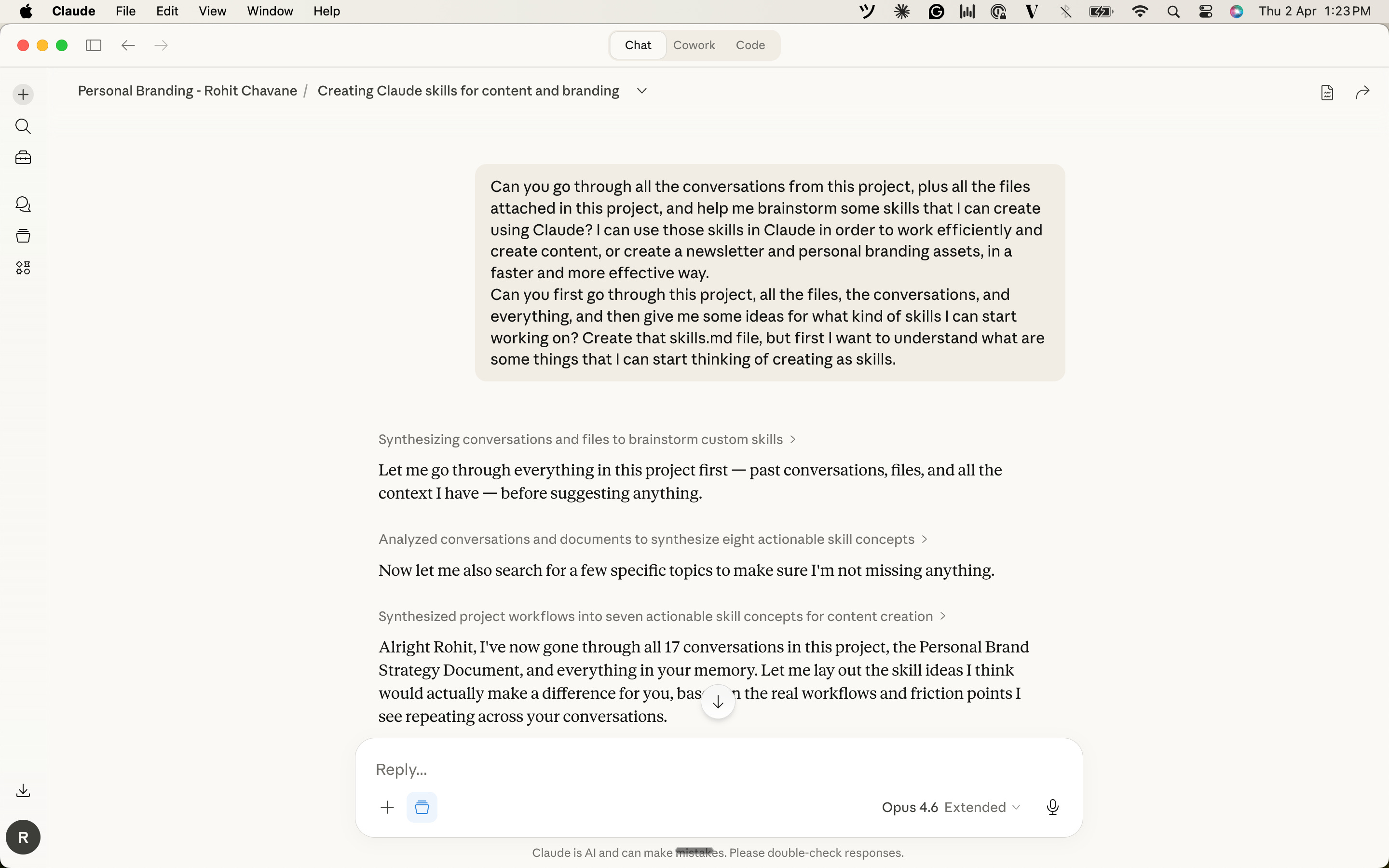
Here’s a detail that matters. Claude’s conversation search can look at two types of content. There are H blocks, which are messages I sent (my thoughts, my opinions, my corrections). And there are A blocks, which are Claude’s responses. For this audit, what mattered most were the H blocks. My words. My feedback. My pushbacks. That’s where the real patterns of frustration live.
Claude went through everything and came back with a clear picture.
Step 2: Claude studied the skill format.
I didn’t know how a SKILL.md file is supposed to be structured. Turns out Claude already has access to example skills in its system. There’s a brand-guidelines skill, a doc-coauthoring skill, a skill-creator skill. Claude studied those examples, understood the format (a YAML header at the top plus markdown instructions in the body), and was ready to build one for me.
I didn’t need to learn any of this myself. That’s the part I want to highlight. Claude understood the structure and translated my needs into it.
Step 3: Claude gave me skill ideas based on my actual friction points.
Based on everything it found in my conversations, Claude proposed about seven different skills I could build. Things like a LinkedIn post drafter, a newsletter builder, a content calendar tracker, and a few others.
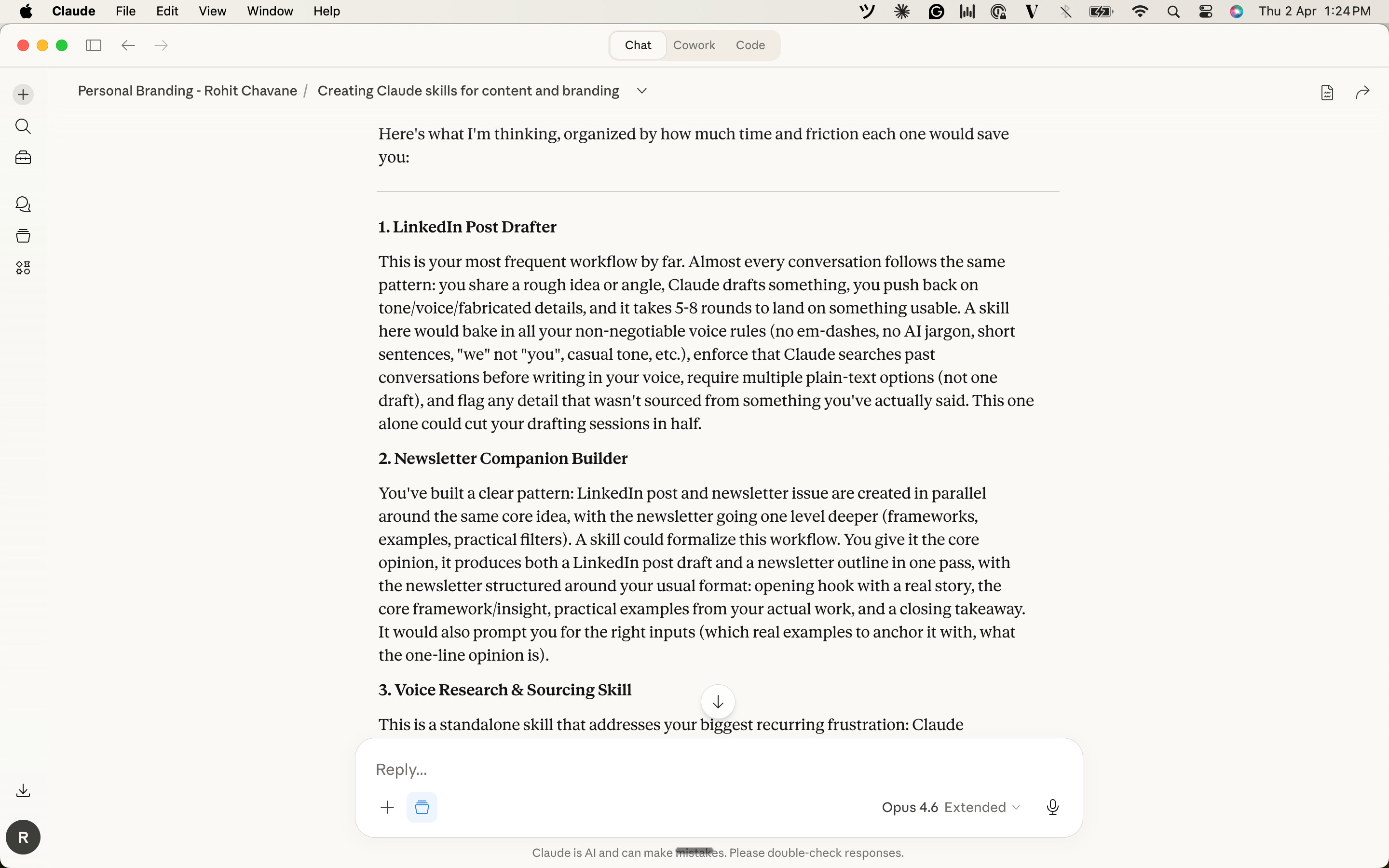
I picked the one that I knew would matter most: a personal voice research skill.
Why this one? Because every other skill on the list depends on Claude getting my voice right first. A LinkedIn drafter is useless if Claude is still making up my opinions. A newsletter builder doesn’t help if the sourcing is wrong.
This skill is the foundation. If it works, everything built on top of it works. If it’s broken, nothing else matters.
Step 4: Claude built the SKILL.md file.
This is the part that surprised me. Claude already knew my voice rules from months of conversations. It knew my frustrations, the corrections I’d made, what I liked and didn’t like. It took all of that and produced the complete SKILL.md file.
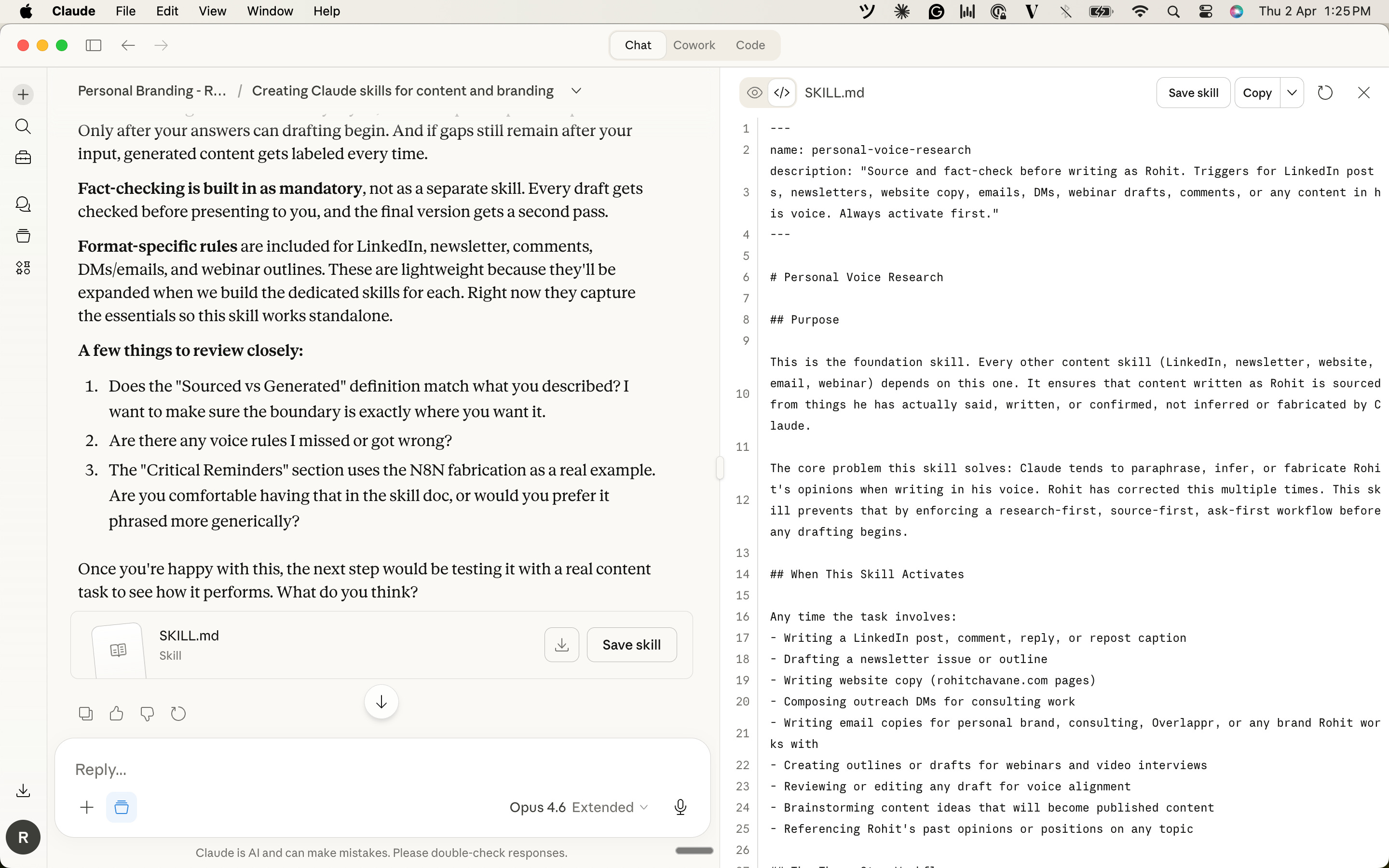
Here’s what went into it.
The YAML header. At the very top of the file, there’s a small section that looks like this:
---
name: personal-voice-research
description: "Source and fact-check before writing as Rohit. Triggers for LinkedIn posts, newsletters, website copy, emails, DMs, webinar drafts, or any content in his voice. Always activate first."
---
This is the trigger. It tells Claude when to activate the skill. That description field is key. Whenever I ask Claude to write anything in my voice (a post, a newsletter, an email), Claude reads this and knows to follow everything inside the file.
The YAML header matters because without it, Claude wouldn’t know when to use the skill. The name identifies it. The description tells Claude which tasks should trigger it. Get the description wrong, and the skill won’t activate when it should.pe
The three-step workflow
This is the core of the entire skill. Three steps Claude must follow in order. No skipping.
1. Research.
Before writing a single word, Claude searches my past conversations. Not one vague search. 3-4 specific searches using project names, phrases I’ve used, or topic-plus-context combinations. The skill even includes which search strategies work and which ones fail, so Claude doesn’t waste time.
2. Source assessment.
After researching, Claude separates everything into two buckets. Sourced material (things I actually said, opinions I expressed, corrections I made) and generated material (Claude’s paraphrases, inferences, or assumptions). This forces Claude to be honest about what’s mine and what’s its guess.
3. Present and confirm.
If Claude found my past position on a topic, it shows me and asks if my thinking has changed. If it found nothing, it tells me directly: “I didn’t find your past position/opinion on this. I don’t want to put words in your mouth.” Then it asks me specific questions before writing anything.
Voice rules.
The file includes all my non-negotiables. Casual and conversational tone. Short sentences. Simple English. “We” instead of “you” so it sounds inclusive, not preachy. And a strict avoidance list: no em-dashes, no AI jargon like “unlock” or “unleash,” no corporate language, no generic AI-sounding content.
Fact-checking protocol.
Before presenting any draft, Claude verifies factual claims, checks tool names and feature descriptions, and confirms that examples from my work match what I’ve actually described. If something seems off, it flags it instead of silently including it.
Step 5: I uploaded it to Claude.
Here’s the actual process. It’s simpler than it sounds.
Claude generated the SKILL.md file inside our conversation. I downloaded it. On my local machine, I created a new folder, named it “personal-voice-research,” and put the SKILL.md file inside it. Then I zipped that folder into a .zip file.
In Claude, I went to Customize (you’ll find it in the left sidebar below the Search), then to the Skills section. Clicked the “+” button, uploaded the zip file, and that was it.
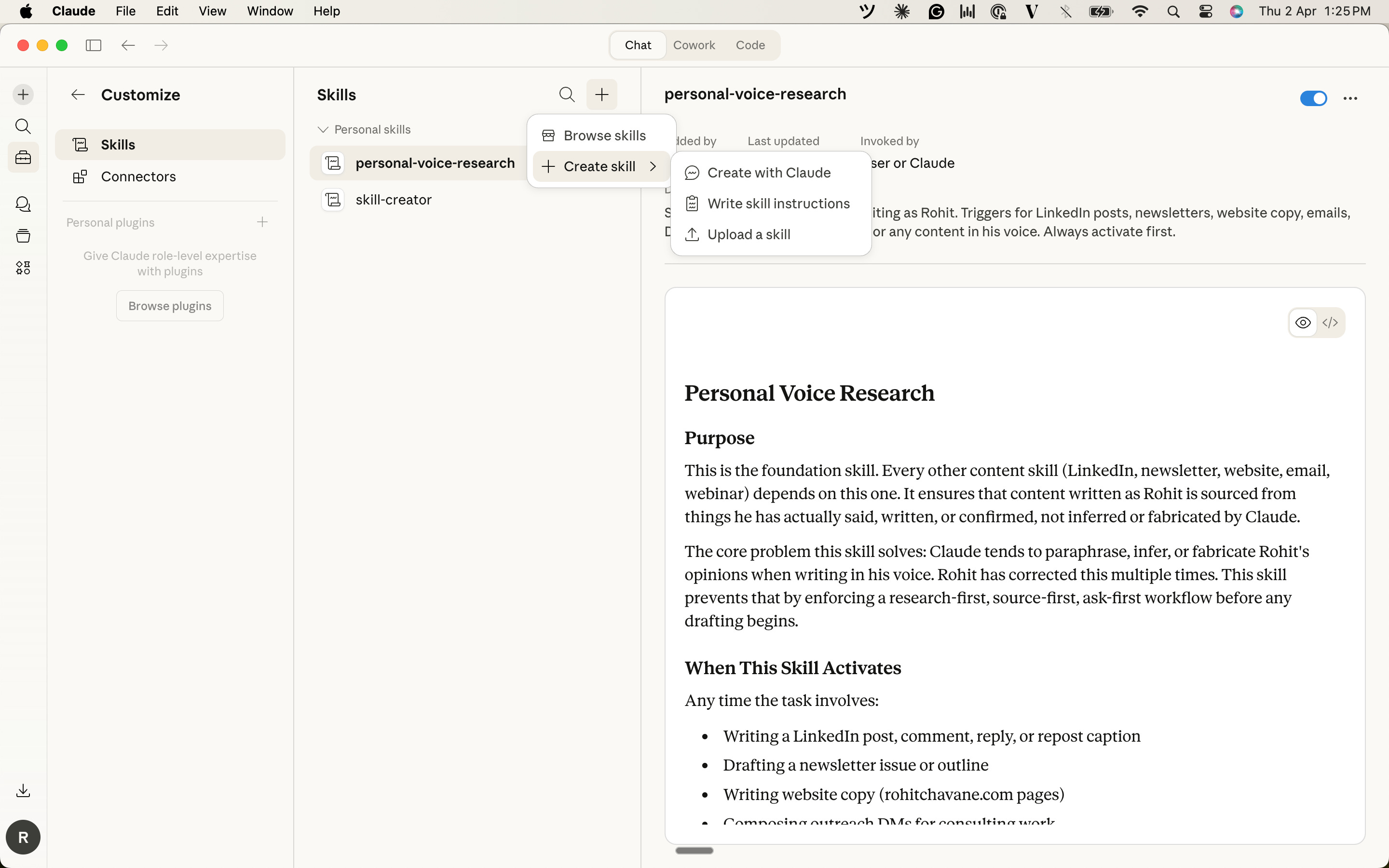
The skill showed up in my skills list. I toggled it on. From that moment, every conversation in Claude where I ask it to write in my voice follows the rules in that file. Automatically.
One conversation to build it. One zip file to upload. Done.
Did it actually work?
I tested it by asking Claude to write a LinkedIn post about a topic I’d been wanting to cover. Here’s what happened.
Claude searched my past conversations first. Found that I’d listed this topic in a brainstorm session weeks earlier. Surfaced the specific angle we’d discussed. Separated sourced content from gaps. Asked me clarifying questions before writing anything.
The draft came back in my voice. Casual tone. No jargon. No em-dashes. About 95% of the instructions were followed on the first try.
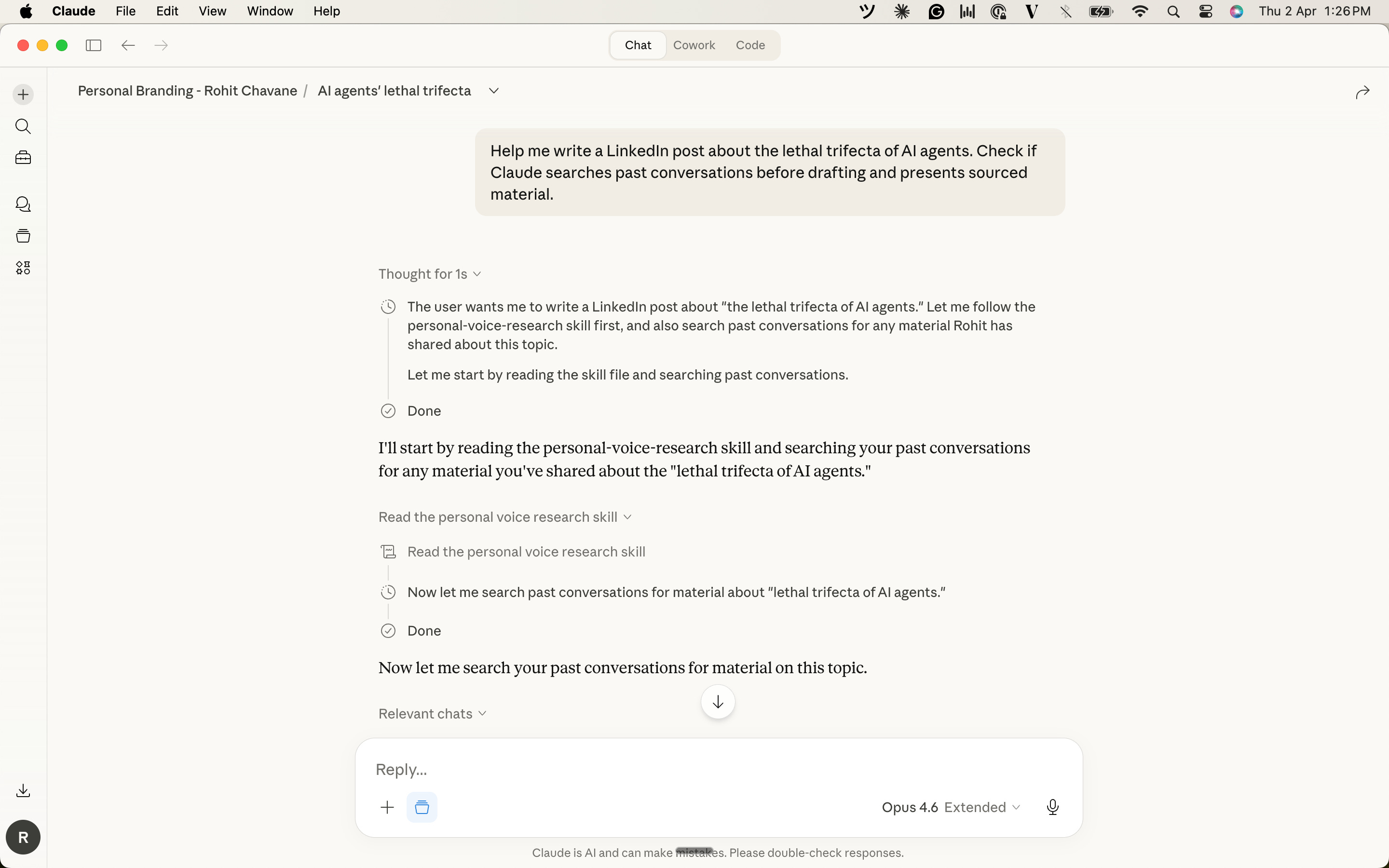
Then I asked Claude to audit itself. “Did you follow all the instructions? Tell me what you hit and what you missed.”
It gave me an honest, step-by-step breakdown. Where it followed the instructions. Where it fell short. It even suggested three improvements to the skill file. That’s when it really clicked. A skill isn’t a finished product. It’s a living document. We use it, find the gaps, improve it. Each version gets better.
If you want to try this
Start with the problem, not the solution. Don’t think “what skill should I build?”
Think “what do I keep correcting Claude on?” That correction pattern is the skill waiting to happen.
Pick the foundational one. If we have multiple ideas, resist the urge to build the most exciting one. Build the one that everything else depends on.
Let Claude do the heavy lifting. We don’t need to learn Markdown or YAML. Give Claude the context (past conversations, files, preferences), tell it what keeps going wrong, and let it draft the skill file.
Test and iterate. The first version won’t be perfect. Use it, ask Claude to audit its own compliance, find the gaps, and update the file.
Have you built a skill yet? Or if you haven’t, what’s the one thing you keep correcting Claude on? That’s probably your first skill right there.
Hit reply and let me know. I’d love to hear what you come up with.
— Rohit